
Open it and know where you stand
The home screen answers the questions you ask yourself every morning, before you have asked them.
Needs your attention
Overdue tasks and anything due today, at the top where you cannot miss them.
Money to chase
A failed or cancelled payment raises its own alert with the amount.
This week
Your tasks in date order. Tick one and it is done everywhere.
Pipeline at a glance
Live deals, their value and the next two follow-ups.
A CRM that fits how you sell
Companies and contacts
Who they are, what they buy from you, every note and every file, in one record. Search finds anyone in a second.
Sales pipeline
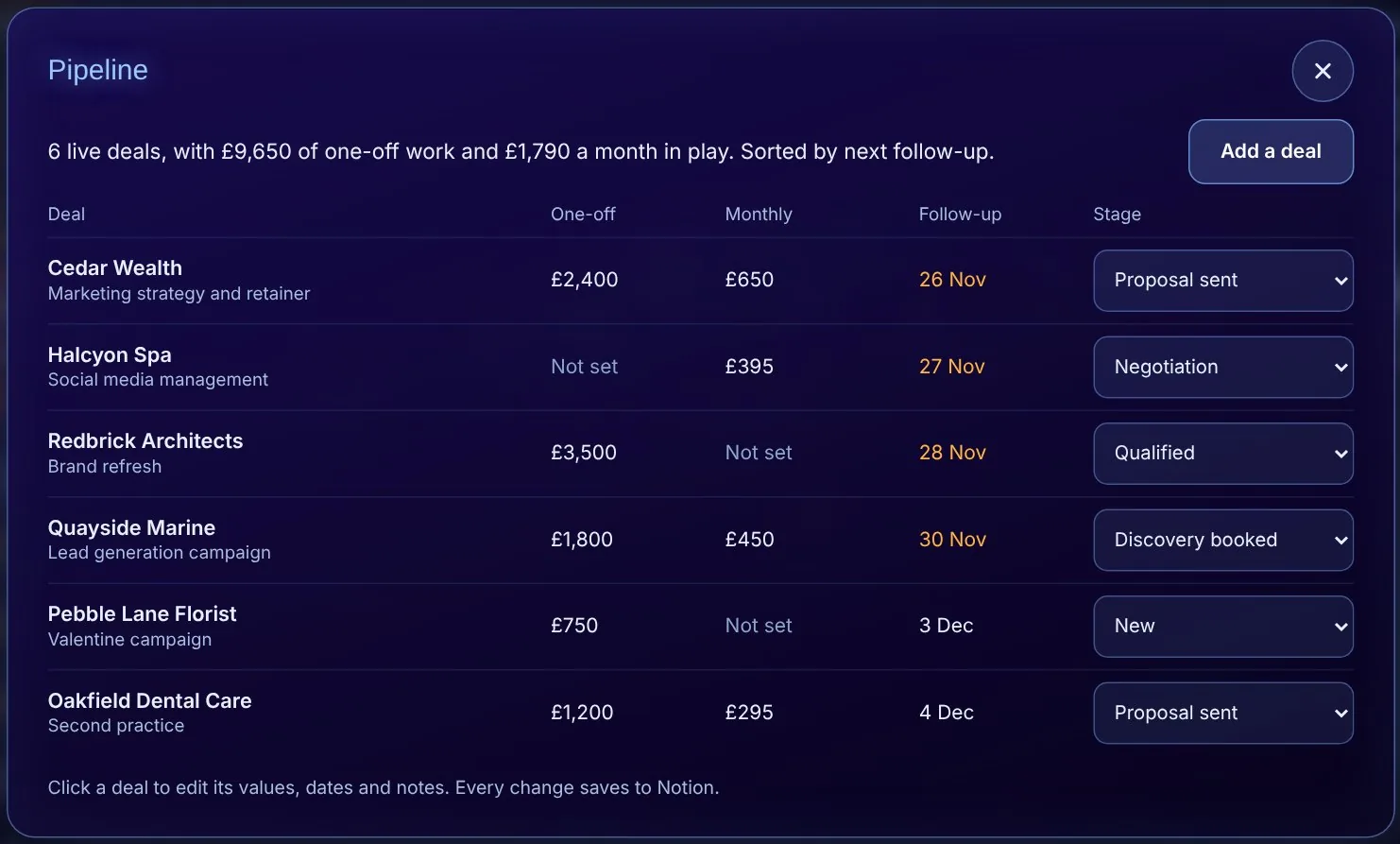
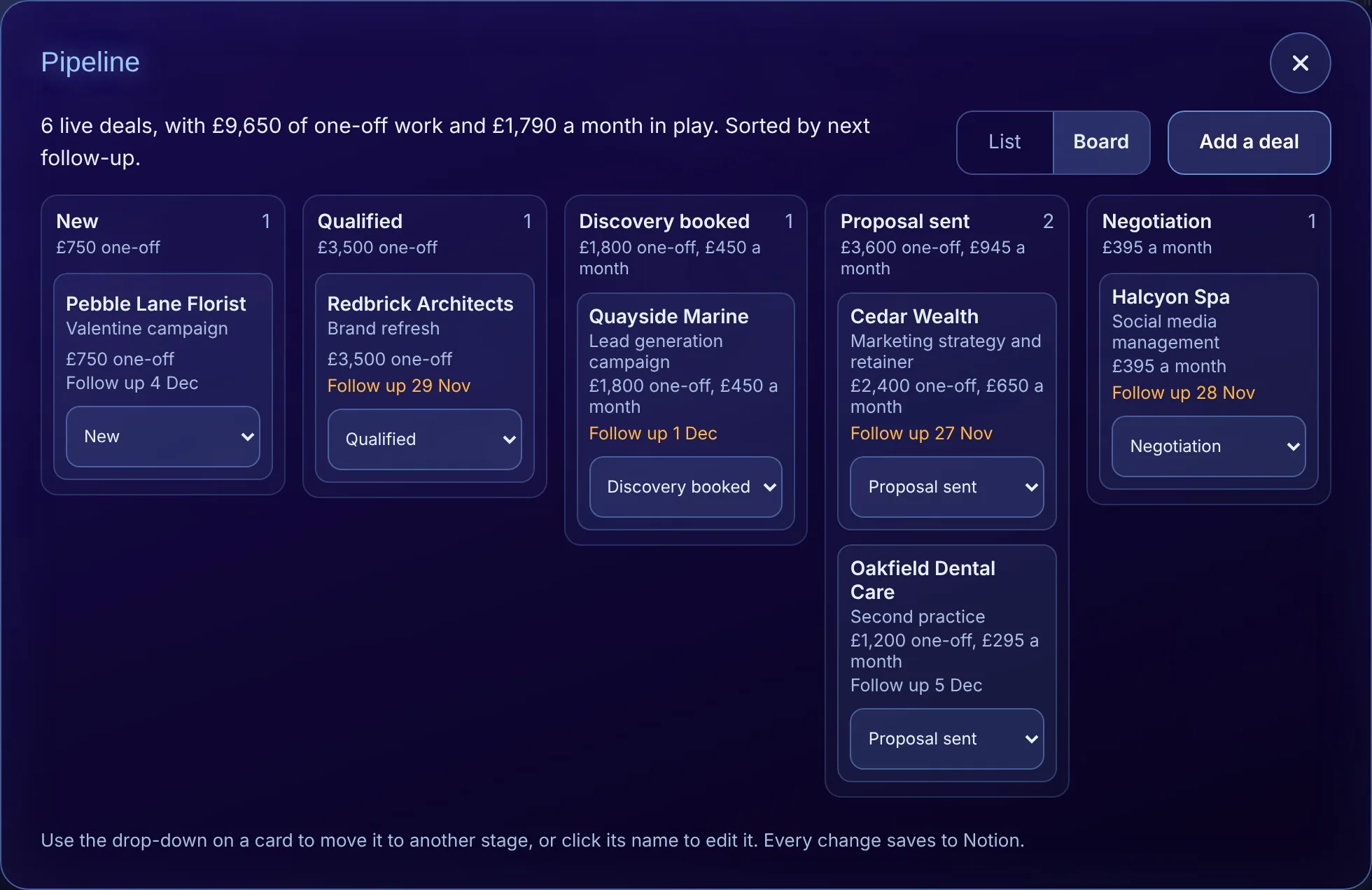
Your own stages, in your own words. One-off and monthly values side by side, sorted by the next follow-up so nothing goes cold.
Where enquiries come from
Record how each new client found you, so you know which marketing is earning its keep.
A list or a board, whichever you prefer
Some people think in lists and others in columns. Switch the pipeline to a board and each stage becomes a column, with the deals waiting at that stage underneath. Move a deal on from its card.
Tasks and projects have the same switch, with a column for each status.
See what to try in the live demoThe working week, organised
Tasks and projects
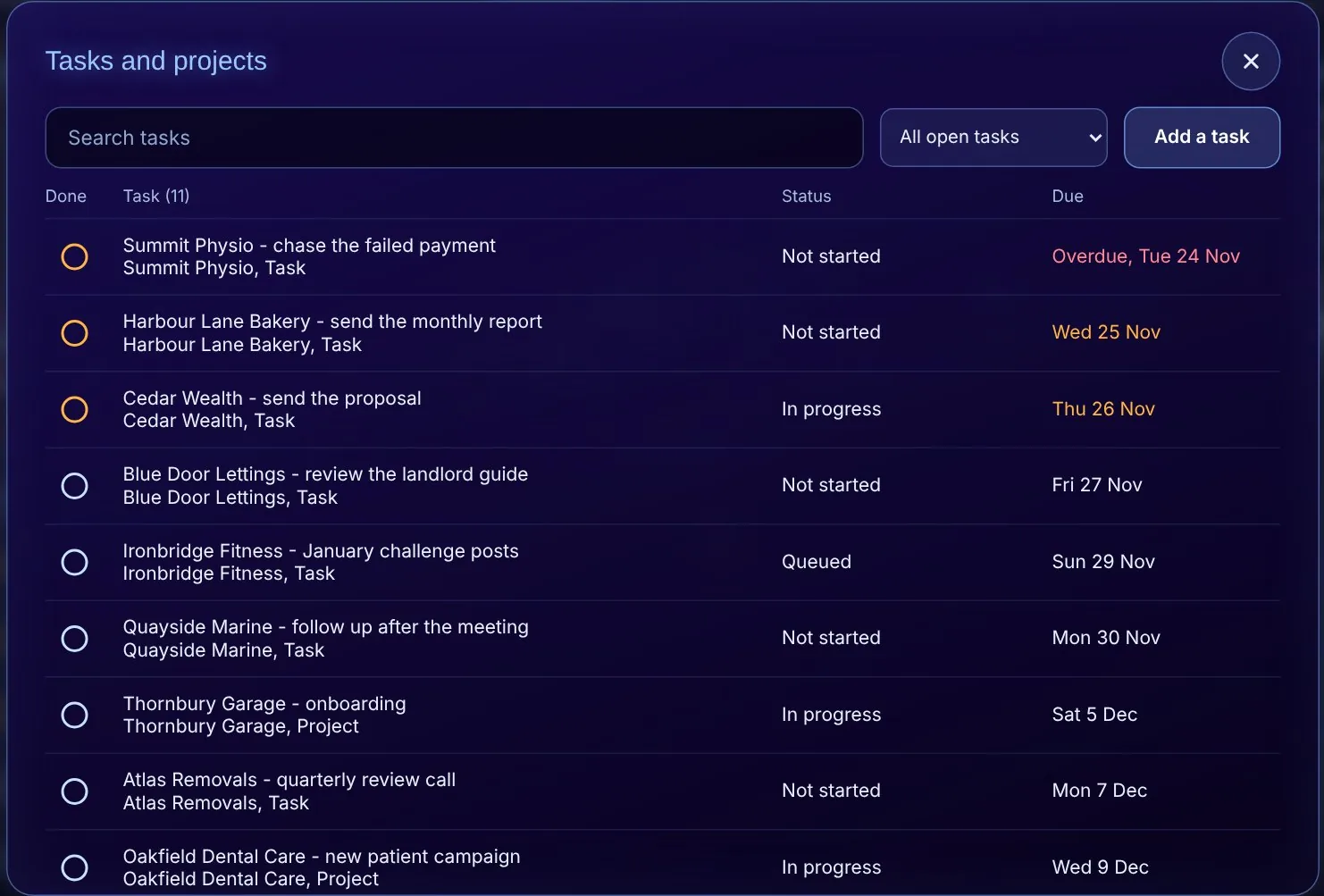
Tasks linked to the client they are for, with a status and a due date. Bigger pieces of work sit alongside as projects, so you see both the job and the next step. View them as a list or as a board.
Calendar
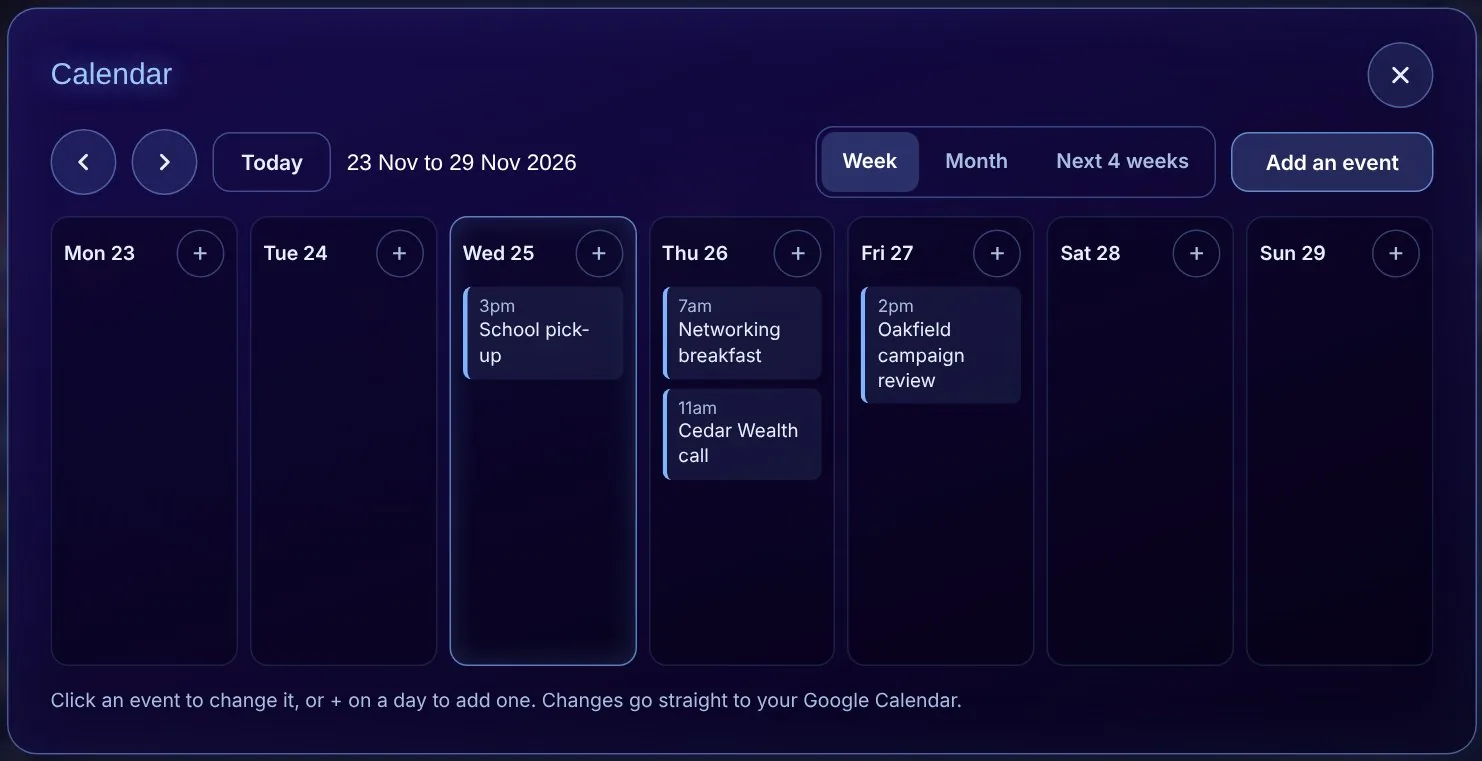
Your real diary, shown by week, by month or four weeks ahead. Add or change an event here and your phone updates too. If a meeting has a video link, join the call straight from the entry.
Meeting notes
One form for every client meeting: who was there, what they want, what you agreed. Filed against the client automatically. Included with Crew and Bespoke builds.
Files
Attach a document to any client, contact, deal or task. It is stored in the right folder in your own cloud storage.
Payments
See who pays by direct debit, how much each month and what has failed. View only: the system never moves money. Included with Crew and Bespoke builds.
Video calls
Google Meet, Zoom and Teams links come through with your diary. One click on the entry and you are in the meeting.
Search and filters
Every list has a search box and filters, so one client, one deal or one overdue task is never more than a few keys away.
A word to start the day
Your own choice of motivation, one click away, for the mornings that need it.
Choose between Classic and Space themes
Same system, same data, two ways to see it. Set one for the whole team, or let each person switch whenever they like. We are exploring new galaxies too, so expect more themes over time.
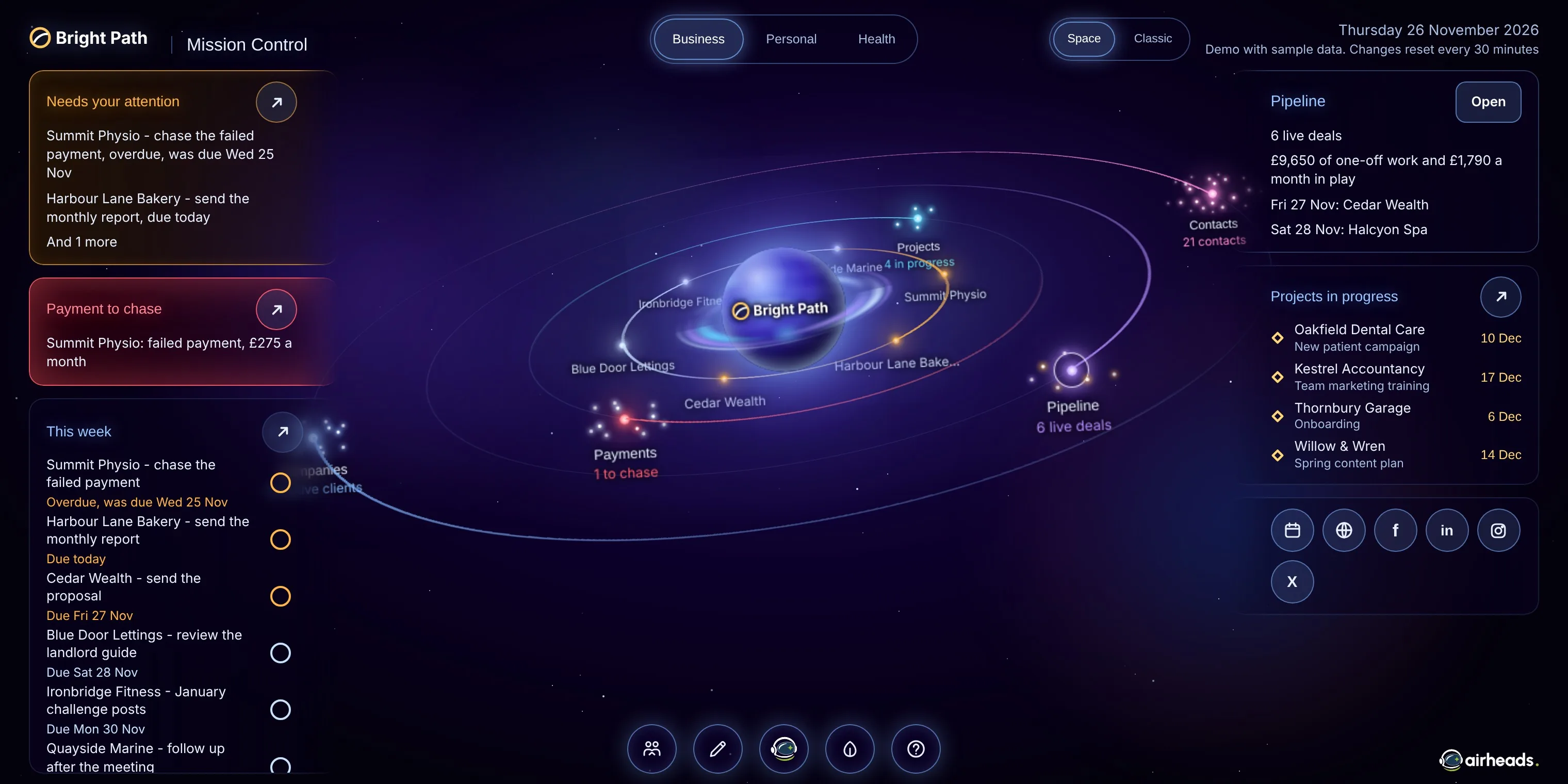
Space
Your business as a solar system. Every part in orbit and everything in view at once. For people who think in pictures.
Try the Space demo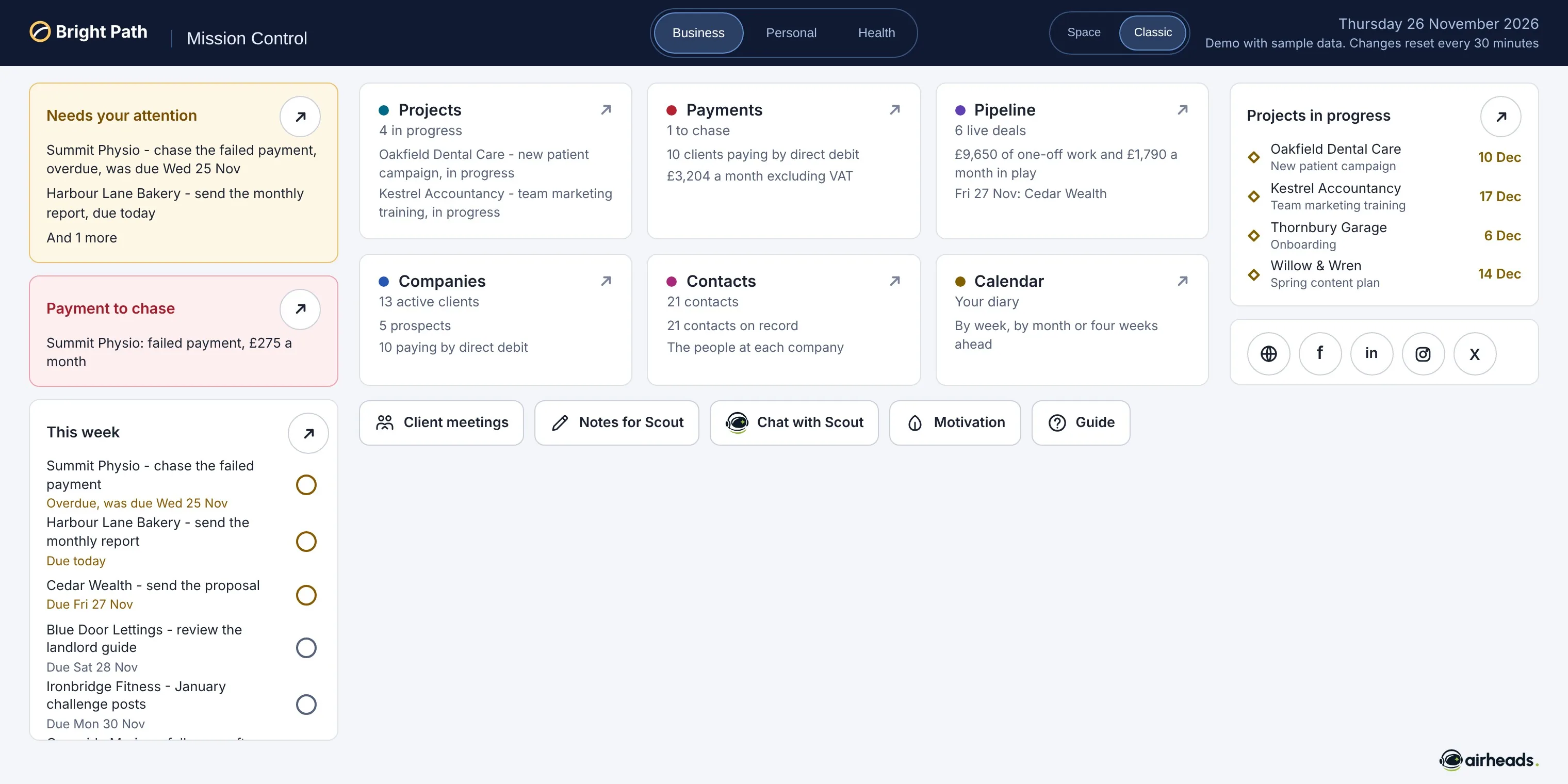
Classic
The same system on a plain, light page. Clear tiles, no animation and no clutter. For people who want to get in, get it done and get out.
Try the Classic demo
Meet Scout
Your guide to Airheads Mission Control
Scout is the AI assistant built into your system. Type what happened in plain English and Scout works out what needs recording and does the filing, the way a good administrator would.
Scout also knows its way around your system. Ask how to do something and Scout talks you through it.
Scout cannot delete anything and has no access to payments. You stay in charge. Scout is included with Crew and Bespoke builds.
More about Scout, the AI assistant-
You type
Met Sarah at Thornbury Garage. She wants a quote for a new website by Friday.
Scout doesCreates the contact, logs the note against the company and adds a task due on Friday.
-
You type
Move the Cedar Wealth deal to proposal sent.
Scout doesUpdates the stage in your pipeline.
-
You type
Book a call with Halcyon Spa at 2pm on Thursday.
Scout doesAdds the appointment to your calendar.
-
You type
What is due this week?
Scout doesLists your open tasks in date order, overdue first.
-
You type
How do I add a new client?
Scout doesTalks you through it, one step at a time.
Help is built in
Nobody should need a training course to use their own system. The answers sit inside it.
A guide to every screen
Plain-English help for each part of your system, one click away. Search it for a word and go straight to the answer, or ask Scout to show you.
Hover text
Rest the pointer on any icon and a line of text tells you what it does. No guessing.
A proper handover
We walk you through your finished system in a one-hour session before you go live.
People to ask
Every care plan includes support by email, with a reply within one working day.
Integrations with the software you already use
Your system sits on top of the tools your business already runs on and pulls them into one view. Nothing has to be replaced.
Keep your records in Notion? See our Notion CRM buildsStore Your Files
Google Drive, OneDrive, Dropbox, SharePoint, Box
Run Your Diary
Google Calendar, Outlook Calendar, Calendly, Microsoft Bookings
Keep Your Records
Notion, Airtable, Google Sheets, Microsoft Excel
Handle Your Email
Gmail, Outlook, Microsoft 365
Collect Your Payments
GoCardless, Stripe, PayPal, Square
Do Your Accounts
Xero, QuickBooks, Sage, FreeAgent
Talk to Your Team
Slack, Microsoft Teams, Zoom, Google Meet
Reach Your Customers
Mailchimp, Brevo, ActiveCampaign
These are examples, not a fixed list. Connections are mainly made through each platform's API, the official way for one piece of software to talk to another. If your software has one, we can usually connect it. Ask us about yours
Add-ons for life outside work
If you are the business, your life and your work share one diary. Add a Personal or Health dashboard and keep both in view, each on its own screen. They are optional extras, not part of the standard build, and you can add them at the start or later.
Personal
Your training sessions, the birthdays and dates that matter, and a private diary. Kept apart from client work and one switch away.
Health
The routines that keep you well, in a view of their own. We build it around what you want to keep an eye on.
Every feature at a glance
What each build includes. A tick means it is in the build price. An add-on is optional, from £495 + VAT. See build prices
Made to measure
The core is proven. Everything on top is built around you. How far can it go? Like the universe, we have not found the edge yet.
- Your logo, colours and business name throughout
- Your own pipeline stages, services and wording
- Extra fields for whatever your trade needs to record
- New modules to order, such as jobs, bookings, stock or renewal dates
Private, and yours
Client data deserves care. These rules are built in.
- Only the email addresses you approve can sign in
- Your records are held in accounts registered to your business
- Payment information is view only, always
- Your records stay yours, whatever happens
Reading about it only goes so far
The live demo is a full working system with sample data. Click anything. Nothing can break, and it resets itself every half hour.